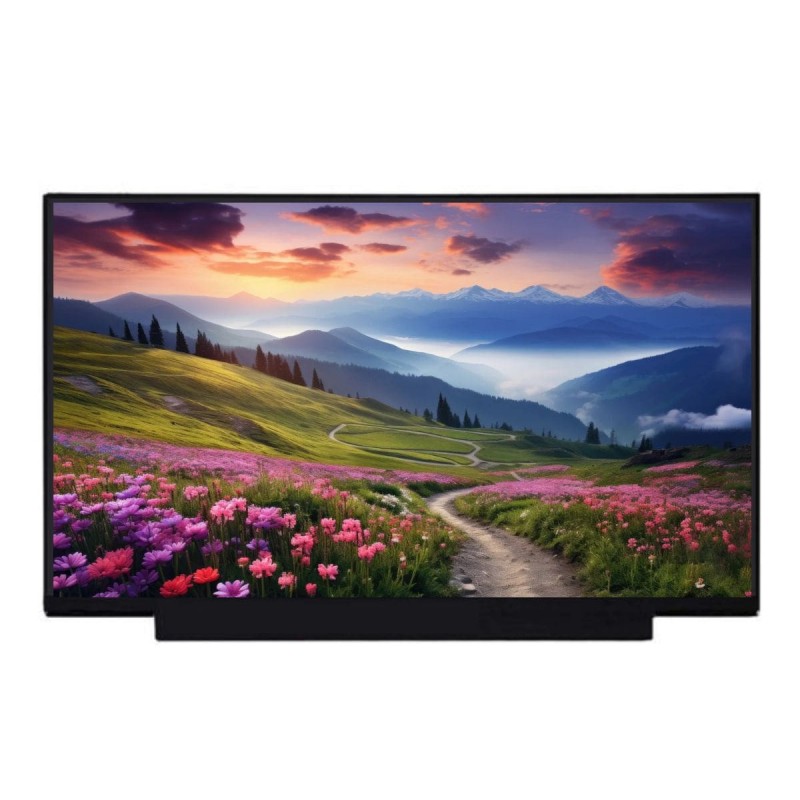
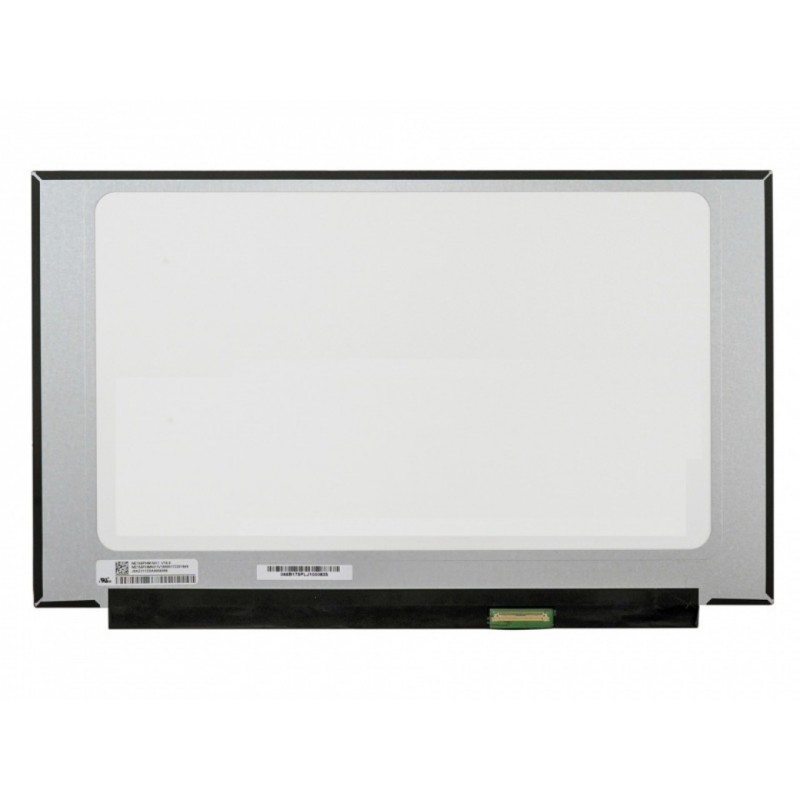

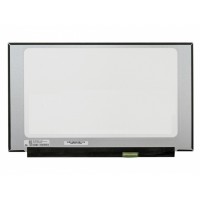

HP 14s-dy5005TU 14.0-inch FHD LCD LED Laptop Screen Display (1920 × 1080, 30 Pin eDP)
Is your HP 14s-dy5005TU laptop screen cracked, flickering, showing dead pixels, displaying vertical or horizontal lines, suffering from low brightness, or showing distorted colours? A damaged or defective display can significantly affect your work, entertainment, web browsing, and everyday laptop experience.
Restore your laptop with this HP 14s-dy5005TU 14.0-inch FHD LCD LED Laptop Screen Display, designed for compatible systems using a 14.0-inch Full HD 1920 × 1080 display with a 30 Pin eDP connector.
This replacement screen provides sharp Full HD image quality and is suitable for everyday computing, office work, web browsing, multimedia, video streaming, and other laptop applications. The non-touch LCD configuration is designed as a replacement for compatible HP 14s-dy5005TU display assemblies.
Key Specifications
| Compatible Laptop | HP 14s-dy5005TU |
| Screen Size | 14.0-inch |
| Resolution | Full HD 1920 × 1080 |
| Aspect Ratio | 16:9 |
| Panel Type | LCD |
| Backlight | LED |
| Refresh Rate | 60Hz |
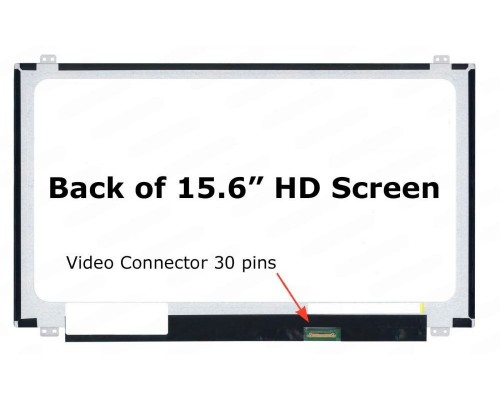
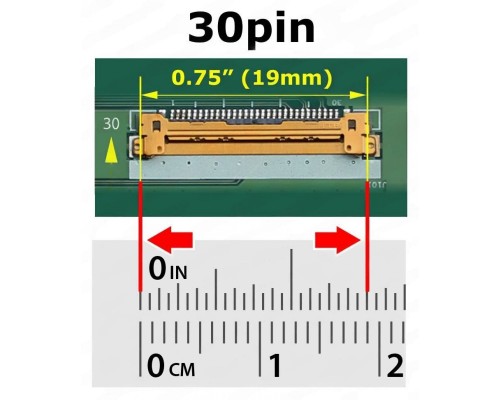
| Connector | 30 Pin eDP |
| Touchscreen | No, Non-Touch |
| Display Type | LCD LED Laptop Screen |
| Condition | Brand New |
| Warranty | 1-Year Limited Warranty |
1920 × 1080 Full HD Resolution
The 1920 × 1080 Full HD resolution provides 1,920 horizontal pixels and 1,080 vertical pixels in a standard 16:9 aspect ratio. This resolution delivers detailed images and is suitable for documents, websites, photographs, videos, office applications, and everyday laptop use.
Full HD is also widely supported by modern operating systems and applications, providing a familiar native resolution for compatible HP laptop systems.
14.0-inch Laptop Display
The 14.0-inch screen size provides a practical balance between viewing area and laptop portability. It is suitable for productivity, education, business applications, entertainment, browsing, and general computing.
When replacing a laptop display, screen size should always be checked together with the resolution, connector, physical dimensions, connector position, and mounting arrangement.
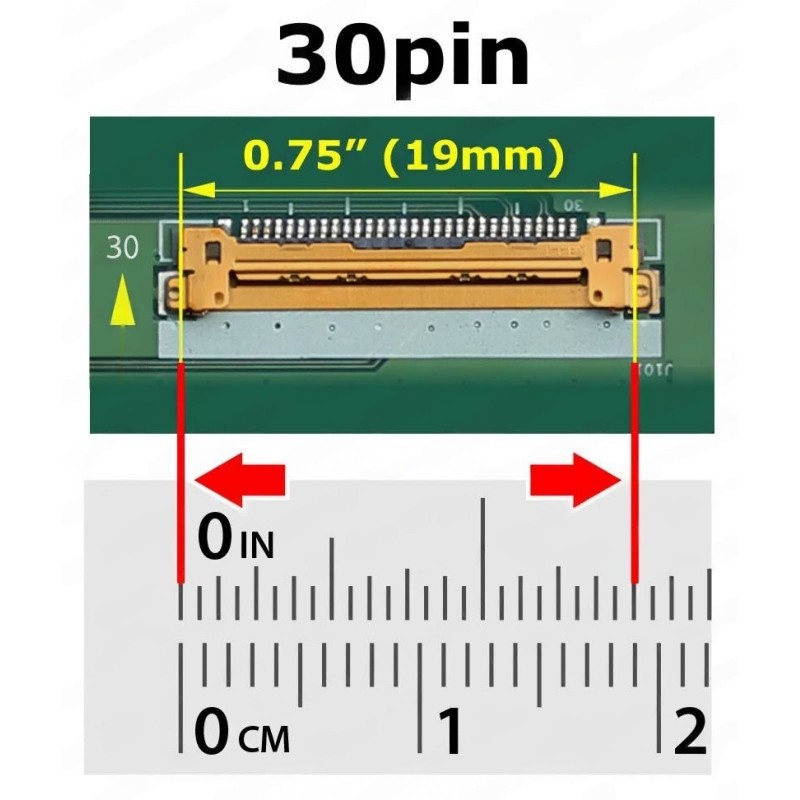
30 Pin eDP Connectivity
This replacement display uses a 30 Pin eDP connector. The connector configuration is an important compatibility factor because laptop screens with different connector types or pin configurations may not be directly interchangeable.
Always compare the connector on your existing display before ordering. Connector position and cable routing should also be checked.
LED Backlit Display
The display uses LED backlighting to illuminate the LCD panel. A functioning backlight is essential for producing a visible image on the laptop screen.
If your existing screen has a failed backlight, unusually low brightness, or a completely dark image, a replacement panel may resolve the problem when the LCD assembly itself is responsible for the fault.
Non-Touch Display
This replacement is specified as a non-touch display. It is intended for compatible HP 14s-dy5005TU configurations that use a conventional LCD screen without touchscreen functionality.
Please confirm whether your existing laptop uses a touch or non-touch display before ordering.
Common Screen Problems This Replacement Can Fix
A replacement LCD panel can resolve display problems caused by a damaged or defective screen, provided the original fault is associated with the display panel.
- Cracked or broken laptop screen
- Flickering display
- Dead or stuck pixels
- Vertical lines
- Horizontal lines
- Dim or low-brightness display
- Backlight failure
- Colour distortion
- Ghosting or display artefacts
- White screen
- Black screen
- No image while the laptop powers on
Compatible Laptop Model
This replacement screen is intended for the HP 14s-dy5005TU laptop with the corresponding 14.0-inch Full HD 1920 × 1080 display configuration and 30 Pin eDP connectivity.
HP laptop series can be offered with different display configurations. Therefore, it is important to verify the specifications of your existing screen before ordering.
Compatibility Caution
Important: Please verify your existing laptop screen before ordering this replacement panel.
- Confirm that your laptop is an HP 14s-dy5005TU.
- Confirm the display size is 14.0-inch.
- Confirm the native resolution is 1920 × 1080 Full HD.
- Confirm the connector is a 30 Pin eDP connector.
- Confirm that your existing display is non-touch.
- Check the connector position.
- Check the display cable and cable routing.
- Compare the physical dimensions of the original panel.
- Check the mounting arrangement before installation.
Verify Your Existing Screen Model
Laptop manufacturers can use different LCD panels within the same product family. Two displays may have the same 14-inch size and 1920 × 1080 resolution but still differ in connector position, panel dimensions, mounting configuration, cable compatibility, or other electrical and physical specifications.
For the most reliable compatibility check, inspect the model number printed on the rear label of your existing LCD panel and compare it with the replacement panel before placing your order.
Recommended compatibility check: If you are unsure, provide your laptop model number and the model number printed on your existing screen to PCTECH Computers before ordering.
Display Replacement for Everyday Computing
A correctly matched replacement display can restore the original viewing area of your HP laptop after a cracked or defective screen has been removed.
The 14.0-inch Full HD 1920 × 1080 resolution is suitable for office applications, web browsing, online classes, multimedia, video streaming, document editing, business applications, and everyday computing.
Why Choose PCTECH Computers?
- 20+ Years of Experience: Extensive experience supplying laptop replacement screens and computer components.
- Quality Tested: Replacement displays are checked before dispatch according to applicable testing procedures.
- Clear Product Specifications: Important details such as screen size, resolution, and connector configuration are clearly identified.
- Secure Packaging: Laptop LCD panels are carefully packed to help protect them during transportation.
- Fast Shipping: Secure delivery is available across India.
- Dedicated Support: Our team can assist with display compatibility and product-related questions.
Installation Recommendation
Professional installation is strongly recommended when replacing a laptop LCD panel. Laptop display assemblies contain delicate LCD panels, display cables, connectors, bezels, hinges, and other components that can be damaged during replacement.
Before opening the laptop display assembly, disconnect the AC adapter and follow the appropriate service procedure for your laptop model.
Handle the eDP connector and display cable carefully. Do not pull the cable by its wires and do not force the connector into place.
Test the Screen Before Final Assembly
After connecting the replacement display, test the screen before completing final installation and reassembly.
- Confirm that the display powers on correctly.
- Check the native 1920 × 1080 resolution.
- Check brightness and backlight operation.
- Check for vertical or horizontal lines.
- Check for flickering.
- Check for abnormal colours or display artefacts.
- Inspect the complete visible area of the display.
Once the display has been confirmed to be functioning correctly, proceed with final installation and reassembly.
Warranty & Installation Note
This replacement screen is supplied as a brand-new laptop LCD display panel and comes with a 1-Year Limited Warranty, subject to the applicable PCTECH warranty terms.
Please inspect and test the display carefully after delivery and, whenever possible, before completing the final installation.
Any dead pixel, display defect, or other display-related manufacturing issue must be reported according to the applicable PCTECH warranty and replacement policy.
Warranty coverage does not include physical damage caused by improper installation, cracked panels, scratches, connector damage, liquid damage, electrical damage, accidental mishandling, or other damage caused after delivery.
Professional installation is recommended to reduce the possibility of damage during replacement and to help maintain warranty eligibility.
For complete warranty terms, please refer to the PCTECH Warranty Policy .
Important: Verify Before Ordering
Do not purchase based on screen size alone.
Before placing an order, compare the following details against your existing display:
- Laptop model
- Panel model number
- Screen size
- Native resolution
- Refresh rate
- Connector type
- Number of connector pins
- Connector position
- Physical dimensions
- Mounting configuration
- Touch or non-touch configuration
If you are uncertain about compatibility, contact PCTECH Computers before ordering and provide your HP laptop model number and existing screen model number.
Buy HP 14s-dy5005TU 14.0-inch FHD Replacement Screen
Replace your damaged HP 14s-dy5005TU display with a compatible 14.0-inch Full HD LCD LED Laptop Screen Display featuring 1920 × 1080 resolution, 16:9 aspect ratio, and 30 Pin eDP connectivity.
Restore sharp Full HD visuals and reliable display performance to your compatible HP laptop. Always compare your existing panel model, connector, and complete display specifications before ordering.
Shop with confidence at PCTECH Computers for laptop replacement screens and display components.
| LAPTOP SCREEN SPECIFICATIONS | |
| COMPATIBLE LAPTOP MODELS | HP 14s-dy5005TU 14.0-inch non-touch laptops. |
| SCREEN SIZE | 14.0 Inches |
| RESOLUTION | FHD (1920 x 1080), 157 PPI |
| BACKLIGHT | LED |
| SCREEN SURFACE | Matte |
| COLOR DEPTH | 45% NTSC |
| INPUT SIGNAL INTERFACE | 30 Pin, eDP |
| REFRESH RATE (FRAME RATE) | 60Hz |
| MOUNTINGS | No Brackets |
| CONDITION | New |
| WARRANTY | 1 Year Limited Warranty |
| REMARKS | Please match SCREEN SIZE, RESOLUTION, CONNECTOR Type with your old screen before placing the order. |
PCTECH Product Specific Return Policies
Our Product Specific Return Policy explains the applicable replacement, refund, and service conditions for different categories of products purchased from PCTECH.
The applicable return period depends on the product category and the nature of the issue reported. Customers are requested to inspect and test products promptly after delivery and follow the applicable requirements described below.
Customers are required to record a clear, continuous, and complete video from the moment the package is received, through the unboxing process, product inspection, and initial testing or installation wherever applicable.
This video is not limited to warranty claims. It serves as an important record of safe delivery, the condition of the product at the time of receipt, proper handling, testing, and installation.
The purpose of the unboxing and installation video is to establish a clear and verifiable record of the product from the time it is delivered until it is opened, inspected, connected, tested, and installed.
For technical spare parts, the video can also help establish how the product was handled and installed before any subsequent issue is reported.
Customers should not open, install, modify, dismantle, or otherwise alter a technical spare part before recording the required unboxing evidence.
The recording should clearly capture the following:
- The package immediately after delivery.
- The courier or shipping label and tracking information.
- The complete external condition of the package before opening.
- Any dents, tears, punctures, crushing, watermarks, or other visible packaging damage.
- The complete process of opening the package.
- All protective packaging, bubble wrap, foam, boxes, seals, and other materials.
- The product immediately after it is removed from the packaging.
- The product labels, part number, serial number, connectors, and physical condition wherever applicable.
- Any visible damage, defect, missing component, or discrepancy.
- The initial connection, testing, or installation process wherever applicable.
- The condition and functioning of the product during initial testing.
- A continuous recording without unexplained interruptions wherever possible.
The original packaging and protective materials should be retained until the product has been fully inspected, tested, and the applicable return or warranty period has passed.
In the event of a dispute regarding delivery condition, transit damage, missing items, product condition, handling, installation, or a subsequent return or warranty claim, the unboxing and installation video may be requested as evidence for assessment.
Failure to maintain the required video evidence may make it difficult to establish the condition of the product at the time of delivery or determine when damage occurred.
Return Policy Contents
Product Specific Return Policies
The following return and replacement periods apply according to the product category and the type of issue reported.
| Category | Defective or Damaged | Item Not as Described |
|---|---|---|
| Computers | 10 Days Free Replacement | 10 Days Replacement / Refund |
| Computers / Laptop Accessories | 10 Days Free Replacement | 10 Days Replacement / Refund |
| Computer / Laptop Spare Parts | 10 Days Free Replacement | 10 Days Replacement / Refund |
| Technical / Engineering Services | 30 Days Free Service for the Same Issue | N/A |
Important: The applicable return or replacement period depends on the product category and the nature of the reported issue. Customers should report the issue within the applicable period and provide the information or evidence requested by PCTECH.
Item Not as Described
Our "Item Not as Described" policy ensures that customers receive products that match the description provided at the time of purchase.
If a customer receives an item that does not meet the described specifications, features, or condition, the following policy applies:
1. Eligibility
The policy is applicable to all eligible purchases where the product received significantly differs from its description.
Color, shape and part numbers of items like battery chargers, batteries, keyboards and screens etc. are not treated as "item not as described" until its technical specifications are totally different.
2. Notification
Customers must notify our customer support within a specified time frame, depending upon category, to report the issue and initiate the resolution process.
3. Verification
Our customer support team may request additional information, such as photographs, detailed descriptions, or any other evidence that supports the claim of the item not being as described.
4. Resolution Options
Depending on the circumstances, the following options may be provided to the customer:
a. Replacement
The customer may be eligible for a replacement of the product with one that matches the description originally provided.
b. Refund
If a replacement is not feasible, we may refund for the item.
Important: Replacement or refund will not be applicable if the returned item is found to be damaged due to mishandling during installation or removal, improper use, or negligence.
Customers are advised to approach an expert technician for installation of spare parts, handle products carefully and follow the usage guidelines to ensure eligibility for returns or replacements.
5. Return Process
If the item needs to be returned, our customer support team will provide instructions for the return shipment, including any applicable shipping labels or arrangements for pick-up.
6. Condition of Return
The customer may be required to return the item in its original condition, packaging, and with all accessories included.
7. Evaluation and Final Decision
Once the returned item is received, our returns department will evaluate its condition to verify the claim.
Based on the evaluation, the final decision regarding the resolution, replacement or refund, will be made.
↑ Back to Return Policy ContentsIn-Transit Damage
Products may occasionally sustain damage during the transit process. To ensure a smooth resolution process for in-transit damage claims, customers are required to provide the mandatory unboxing video as evidence.
The unboxing video allows PCTECH to visually assess the condition of the package and its contents upon arrival. It helps establish a clear timeline and provides valuable evidence regarding how the item was packaged, handled, and the extent of any damage incurred during transportation.
Mandatory Requirement: Customers must record the package and product condition from the beginning of the unboxing process. The recording should be continuous and should clearly show the condition of the package before it is opened.
Where transit damage is suspected, customers should immediately document the damage and retain the complete original packaging, including all protective materials.
The unboxing video may be required for assessment of an in-transit damage claim and may assist PCTECH in determining the appropriate resolution.
↑ Back to Return Policy ContentsMandatory Unboxing Video Instructions
The following steps should be followed when creating the mandatory unboxing video.
1. Start from the Initial Unboxing
Begin recording the video from the moment you receive the package.
Capture the exterior condition of the packaging, highlighting any signs of damage, such as dents, tears, punctures, crushing, watermarks, or other visible damage.
2. Document the Unpacking Process
Record the step-by-step process of opening the package, emphasizing the care taken while removing any protective materials or seals.
Be sure to capture any visible damage or indications of mishandling.
3. Focus on the Product
Provide clear footage of the product after it has been removed from the packaging.
Capture the product from different angles where necessary and clearly record any visible damage, defects, missing components, labels, part numbers, connectors, or other relevant details.
4. Preserve the Packaging
Retain the original packaging, including any bubble wrap, foam inserts, boxes, seals, or other protective materials used during shipping.
This helps provide a comprehensive view of how the product was packaged and the level of protection provided during transportation.
5. Maintain a Continuous Recording
Try to maintain an uninterrupted recording throughout the unboxing process to ensure transparency and avoid any doubts regarding the sequence of events.
6. Record Initial Testing
Where applicable, continue the recording through the initial testing of the product.
For technical spare parts, customers should record the initial connection or testing process wherever practical and appropriate.
7. Record Installation Where Applicable
For products requiring technical installation, customers are encouraged to maintain a clear record of the installation and initial testing process.
This is particularly important for technical spare parts such as laptop screens, laptop batteries, keyboards, adapters, DC jacks, hinges, and other components requiring removal of existing parts or technical installation.
Important: The purpose of maintaining the unboxing and installation record is to establish a clear history of the product's condition from delivery through inspection, testing, and installation.
Installation and Handling Responsibility
Technical spare parts are not necessarily plug-and-play products.
Many laptop and computer spare parts require technical knowledge, specialist tools, proper handling, and professional installation.
Customers are strongly advised to approach an expert technician for installation of technical spare parts.
Customers are responsible for ensuring that products are handled and installed correctly.
Replacement or refund will not be applicable if the returned item is found to be damaged due to:
- Mishandling during installation
- Mishandling during removal
- Improper use
- Negligence
- Incorrect installation
- Incorrect connection
- Use of inappropriate tools
- Physical force applied to the product or connector
- Other installation-related damage
Customers should handle products carefully and follow appropriate installation and usage procedures to help ensure eligibility for applicable returns or replacements.
Laptop Screen Installation
Laptop LCD screens are particularly delicate components. The LCD panel, display cable, connector, mounting points, and surrounding assembly can be damaged during installation or removal.
Professional installation is strongly recommended for laptop screen replacements.
Laptop Battery Installation
Laptop batteries may contain sensitive electronic circuits and connectors. Incorrect installation, short circuits, physical damage, or improper handling can damage the battery or the laptop.
Professional installation is recommended wherever technical expertise is required.
Other Technical Spare Parts
The same principle applies to keyboards, adapters, DC jacks, hinges, motherboards, cooling components, and other technical spare parts that require dismantling or installation.
↑ Back to Return Policy ContentsReturn Evaluation and Final Decision
Once a returned item is received, the returns department may evaluate the product and its condition to verify the reported issue.
The evaluation may include inspection of the product, packaging, accessories, labels, part numbers, physical condition, and other relevant evidence.
The submitted photographs, videos, unboxing recording, installation record, order details, and other information may also be reviewed where applicable.
Evaluation of Item Not as Described Claims
For an "Item Not as Described" claim, PCTECH may compare the product received against the product description and specifications applicable at the time of purchase.
Differences in colour, shape, appearance, or part number alone will not necessarily qualify as an "Item Not as Described" claim where the technical specifications remain the same or substantially consistent with the product description.
Evaluation of Damage Claims
For damage-related claims, PCTECH may evaluate whether the reported damage was present when the product was received or whether it may have occurred after delivery, including during handling, installation, removal, testing, or use.
Final Decision
Based on the evaluation, the final decision regarding the applicable resolution, including replacement, refund, or service where applicable, will be made according to the applicable Product Specific Return Policy and the circumstances of the claim.
Important: The availability of a replacement or refund does not mean that every reported issue automatically qualifies. Eligibility is subject to the applicable category, reporting period, condition of the returned product, verification, and final evaluation.
Return Process
If you believe that the product received is defective, damaged, or significantly different from its description, contact PCTECH customer support within the applicable return period.
Provide your Order ID, product name, and a clear description of the issue.
Provide photographs, videos, unboxing video, installation/testing record, or other evidence requested by the customer support team.
Our customer support team may review the submitted information and request additional evidence where necessary.
If the product needs to be returned, our customer support team will provide the applicable return shipment instructions.
Once received, the returned product may be inspected by our returns or technical team.
Based on the evaluation, the applicable replacement, refund, or service resolution will be determined according to the relevant policy.
Condition of Returned Products
Where a return is approved, the customer may be required to return the item in its original condition, packaging, and with all accessories included.
The product should not have been modified, repaired, dismantled, tampered with, or damaged after delivery.
For technical spare parts, customers should take particular care to avoid physical or installation-related damage before returning the product.
Do not send a product back without return authorization.
Customers should contact PCTECH customer support and follow the return instructions provided before shipping the product back.
Packaging and Return Shipment
When a return has been authorized, customers should package the product carefully using appropriate protective materials.
Where possible, the original packaging and protective materials should be used.
The product should be protected from physical damage during the return shipment.
Customers should retain the shipment receipt and tracking details until the return process has been completed.
↑ Back to Return Policy ContentsImportant Customer Notice
Please inspect your package immediately after delivery.
Record the mandatory unboxing video before opening the package and before removing or installing the product.
Do not discard the packaging until the product has been inspected and tested.
For technical spare parts, professional installation is strongly recommended.
- Verify the product received against your order.
- Check the package for visible damage.
- Record the complete unboxing process.
- Inspect the product before installation.
- Do not install a product that appears physically damaged.
- Verify compatibility before installing technical spare parts.
- Use appropriate tools and installation procedures.
- Retain the original packaging and protective materials.
- Contact PCTECH before returning any product.
Contact Us
For return, replacement, or product-related assistance, please contact PCTECH customer support.
Email: cs@pctech.co.in
Phone: +91 9810343724
Please include your Order ID and relevant product details when contacting customer support.
Important Summary
Mandatory Unboxing Video: Customers must record a clear and continuous unboxing video from receipt of the package through unboxing and, where applicable, initial testing or installation. The video serves as evidence of safe delivery, product condition, handling, testing, and installation.
Defective or Damaged Products: The applicable period is 10 Days Free Replacement for Computers, Computers / Laptop Accessories, and Computer / Laptop Spare Parts.
Item Not as Described: The applicable period is 10 Days Replacement / Refund for Computers, Computers / Laptop Accessories, and Computer / Laptop Spare Parts, subject to verification and the applicable return conditions.
Technical / Engineering Services: The applicable period is 30 Days Free Service for the Same Issue.
Installation Damage: Replacement or refund will not be applicable where the returned item is found to have been damaged due to mishandling during installation or removal, improper use, or negligence.
Final Evaluation: All return, replacement, refund, and service requests are subject to verification and evaluation according to the applicable Product Specific Return Policy.
HOW TO CHECK RESOLUTION OF MY OLD SCREEN? ›
You can check the resolution of your existing laptop screen from your laptop's display settings. You can also check the model number and part number printed on the label on the back of the original display panel.
Before ordering a replacement screen, we recommend checking the resolution, screen size, refresh rate, connector type and compatibility with your laptop model.
CAN I UPGRADE MY LAPTOP SCREEN TO HIGHER RESOLUTION? ›
A higher-resolution screen may be possible on some laptop models, but it is not guaranteed for every laptop.
Compatibility depends on the laptop model, motherboard, display cable, connector, BIOS support, panel specifications and power requirements. Please verify compatibility before upgrading to a different resolution.
IS IT AN ORIGINAL DISPLAY? ›
The replacement display supplied will be a compatible laptop screen matching the specifications advertised on this product page.
Please note that a laptop manufacturer may use different panel brands or panel part numbers in the same laptop model. Compatibility should therefore be checked using the complete display specifications rather than the laptop model alone.
WILL I GET THE SAME PART NUMBER OF DISPLAY? ›
The exact panel part number may vary. Laptop manufacturers frequently use multiple compatible display panels for the same laptop model.
You may receive a compatible panel from an equivalent manufacturer or with a different panel part number, while matching the advertised size, resolution, refresh rate, connector and other specifications.
If you require an exact panel part number, please contact us before placing your order and provide the complete part number from your existing screen.
HOW LONG WILL IT TAKE TO RECEIVE MY ORDER? ›
Delivery time depends on your delivery location, courier service and the availability of the product at the time of ordering.
The applicable estimated delivery information will be shown during the ordering and checkout process.
WHAT IS THE RETURN POLICY? ›
Please check the product-specific return policy before placing your order. Laptop screens are delicate electronic spare parts and must be handled and installed carefully.
IMPORTANT: An unboxing video is mandatory as proof of safe delivery and the condition of the product when received. The video should clearly show the unopened package, shipping label, opening of the package and the complete product received.
We strongly recommend professional installation. The display should be tested carefully before final installation and mounting.