
OUT OF STOCK

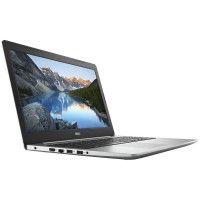
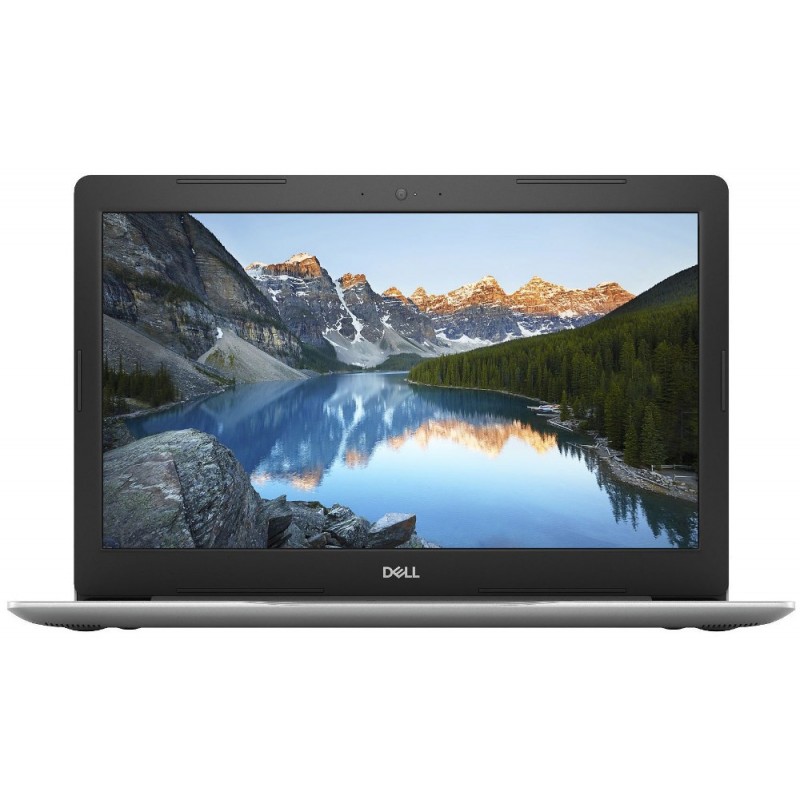
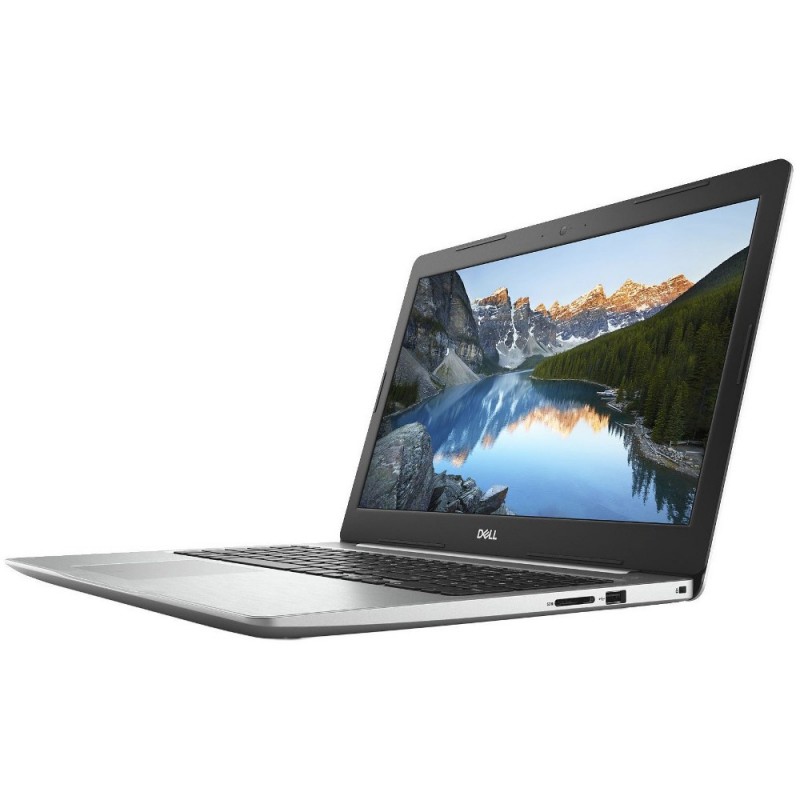
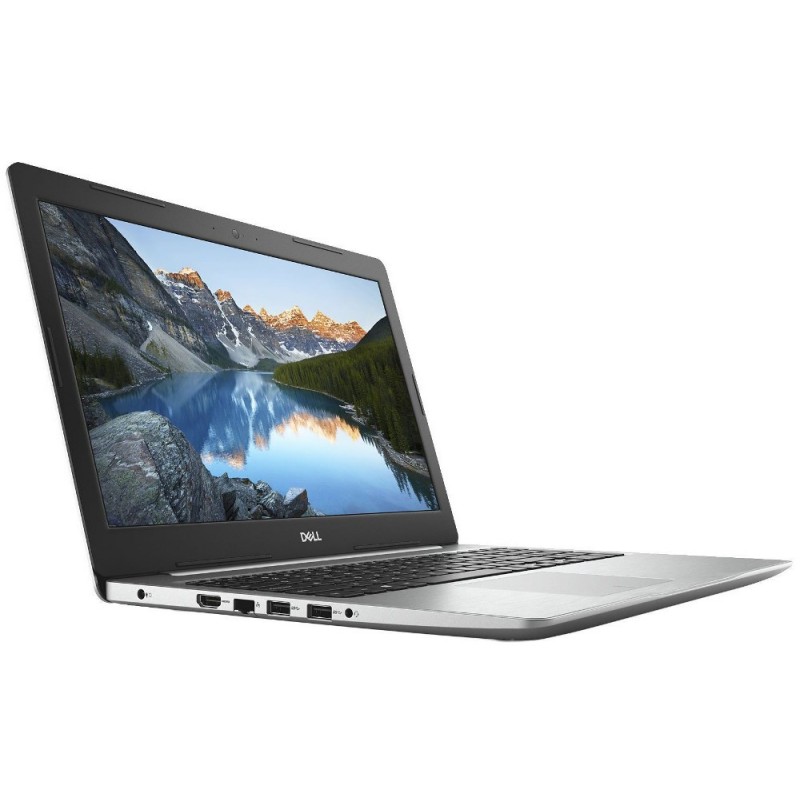
Dell Inspiron 15 5570 Laptop (Core i5-8250U/ 8 GB RAM/ 1 TB HDD/ 15.6 Inch Full HD Screen/ 2 GB AMD Radeon 530 Graphics/ Windows 10 Home Plus)

₹ 58,990
Including Tax: ₹ 58,990
| Specifications | |
|---|---|
| PROCESSOR | |
| Processor | 8th Generation Intel Core i5 |
| Processor Number | 8250U |
| Brand | Intel |
| Clock Speed | 1.6 GHz (Turbo Speed Upto 3.4 GHz) |
| Cache Memory | 6 MB L3 Cache |
| MEMORY | |
| System Memory | 8 GB DDR4, 2400 Mhz |
| Memory Layout | 4 GB x 2 |
| Expandable Memory | Upto 16 GB |
| HARD DRIVE | |
| Hard Drive Capacity | 1 TB |
| RPM | 5400 RPM |
| Hard Drive Interface | SATA |
| OPTICAL DISK DRIVE | |
| Optical Drive | Tray-load DVD+/-RW with Dual Layer Write Support |
| OPERATING SYSTEM | |
| Operating System | Windows 10 Home Plus Single Language 64 bit English |
| DISPLAY | |
| Screen Size | 15.6 Inch |
| Resolution | 1920 x 1080 Pixel (Full HD) |
| Screen Type | LED Backlit Display |
| GRAPHICS | |
| Graphic Card | AMD Radeon 530 |
| Video Memory | 2 GB GDDR5 Dedicated Video Memory |
| INPUT | |
| Web Camera | 720p HD Webcem with digital MicroPhone |
| AUDIO | |
| Speakers | 2 x Tuned Speakers With Waves MaxxAudio |
| COMMUNICATION | |
| Wireless LAN | 802.11ac + Bluetooth 4.0 (Dual Band 2.4 & 5 GHz, 1x1) |
| Bluetooth | v4.0 |
| POWER | |
| Battery | 3 Cell 42 Wh |
| Battery Backup | Upto 4 hours |
| Power Supply | 65 Watts AC Adaptor |
| I/O PORTS | |
| USB Port | (2) USB 3.1 + (1) USB 3.1, (2) USB 2.0 |
| Mic In | Yes |
| RJ45 LAN | 10/100 Ethernet Network port |
| HDMI Port | Yes, v1.4b |
| Multi Card Slot | 3 In 1 Card Reader (SD, SDHC, SDXC) |
| Security port | Noble Lock Slot |
| Keyboard | |
| Keyboard | LED Backlit Keyboard, English (US) |
| MACHINE DIMENSIONS | |
| Weight | 2.2 kg |
| Dimension (W x D x H) | 380 mm x 258 mm x 22.7 mm |
| WARRANTY | |
| 1 Year Onsite Limited Warranty by Dell with 24x7 Premium Phone Support | |
Here's is a table for Product Specific Return Policies:
| Category | Defective or Damaged | Item Not as Described |
|---|---|---|
| Computers | 10 Days Free Replacement | 10 Days Replacement / refund |
| Computers/ Laptop Accessories | 10 Days Free Replacement | 10 Days Replacement / refund |
| Computer/ Laptop Spare Parts | 10 Days Free Replacement | 10 Days Replacement / refund |
| Technical/ Engineering Services | 30 Days Free Service for the same issue | N/A |
Our "Item Not as Described" policy ensures that customers receive products that match the description provided at the time of purchase. If a customer receives an item that does not meet the described specifications, features, or condition, the following policy applies:
1. Eligibility: The policy is applicable to all eligible purchases where the product received significantly differs from its description. Color, shape and part numbers of the items like battery charger, batteries, keyboards and screens etc. are not treated as "item not as described" until its technical specifications are totally different.
2. Notification: Customers must notify our customer support within a specified time frame (depending upon category) to report the issue and initiate the resolution process.
3. Verification: Our customer support team may request additional information, such as photographs, detailed descriptions, or any other evidence that supports the claim of the item not being as described.
4. Resolution Options: Depending on the circumstances, the following options may be provided to the customer:
a. Replacement: The customer may be eligible for a replacement of the product with one that matches the description originally provided.
b. Refund: If a replacement is not feasible, we may refund for the item.
Important: Replacement or refund will not be applicable if the returned item is found to be damaged due to mishandling during installation or removal, improper use, or negligence. Customers are advised to approach an expert technician for installation of spare parts, handle products carefully and follow the usage guidelines to ensure eligibility for returns or replacements.
5. Return Process: If the item needs to be returned, our customer support team will provide instructions for the return shipment, including any applicable shipping labels or arrangements for pick-up.
6. Condition of Return: The customer may be required to return the item in its original condition, packaging, and with all accessories included.
7. Evaluation and Final Decision: Once the returned item is received, our returns department will evaluate its condition to verify the claim. Based on the evaluation, the final decision regarding the resolution (replacement or refund) will be made.
In-transit damages: requirement of unboxing video to proove in-transit damage
To ensure a smooth resolution process for in-transit damage claims, it may be necessary for customers to provide an unboxing video as evidence.
At times, products may unfortunately sustain damage during the transit process. To streamline the resolution process and efficiently address such instances, we kindly request customers to provide an unboxing video as evidence when filing a claim for in-transit damage.
An unboxing video serves as crucial evidence to support the claim, as it allows us to visually assess the condition of the package and its contents upon arrival. It helps establish a clear timeline, providing valuable insights into how the item was packaged, handled, and the extent of the damage incurred during transportation.
When creating the unboxing video, please ensure the following:
1. Start from the initial unboxing: Begin recording the video from the moment you receive the package. Capture the exterior condition of the packaging, highlighting any signs of damage, such as dents, tears, or watermarks.
2. Document the unpacking process: Record the step-by-step process of opening the package, emphasizing the care taken while removing any protective materials or seals. Be sure to capture any visible damage or indications of mishandling.
3. Focus on the product: Provide clear footage of the damaged areas of the product. Zoom in or adjust the camera angle if necessary to capture the full extent of the damage.
4. Preserve the packaging: Retain the original packaging, including any bubble wrap, foam inserts, or other protective materials used during shipping. This helps provide a comprehensive view of how the product was packaged and the level of protection provided.
5. Maintain a continuous recording: Try to maintain an uninterrupted recording throughout the unboxing process to ensure transparency and avoid any doubts regarding the sequence of events.
Once you have the unboxing video ready, you can easily attach it to your claim or provide it to our customer support team as requested. Rest assured, this video will significantly aid us in expediting the assessment of your claim and reaching a fair resolution promptly.
We understand the importance of a smooth and hassle-free resolution process, and we appreciate your cooperation in providing an unboxing video to substantiate your in-transit damage claim. Our aim is to ensure your satisfaction and make the necessary arrangements for a replacement or refund as quickly as possible.
Tags:
Dell Inspiron 5570 Core i5 Laptop Price in India
, Dell Inspiron 5570 Core i5 Laptop Price in Noida
, Dell Inspiron 5570 Laptop Specifications
, Dell Inspiron 5570 Laptop Reviews
, Dell Inspiron 15 5570 Laptop Online Price In India
, Intel 8250U Processor Specifications
, AMD Radeon 530
, Dell Laptops on EMI in Noida
, Dell Laptops on Finance in Noida
, Dell Exclusive Showroom In Noida
, Dell Inspiron 5570 Laptop Price
, Dell Inspiron 5570 Laptop Features
, Dell Inspiron 5570 Laptop Specifications
, Dell Inspiron 5570 Laptop Reviews
, Dell Inspiron 5570 Laptop
, Dell Inspiron 5570
, Dell Inspiron 5570 Laptop Price in India
, Dell Inspiron 5570 Laptop online Price


